Check Keyboard Thickness and Where a Wrist Rest Goes
Key Takeaway
Pick a keyboard that is 3 cm thick or less, and leave at least 15 cm between the desk edge and the keyboard so there's room for a wrist rest.
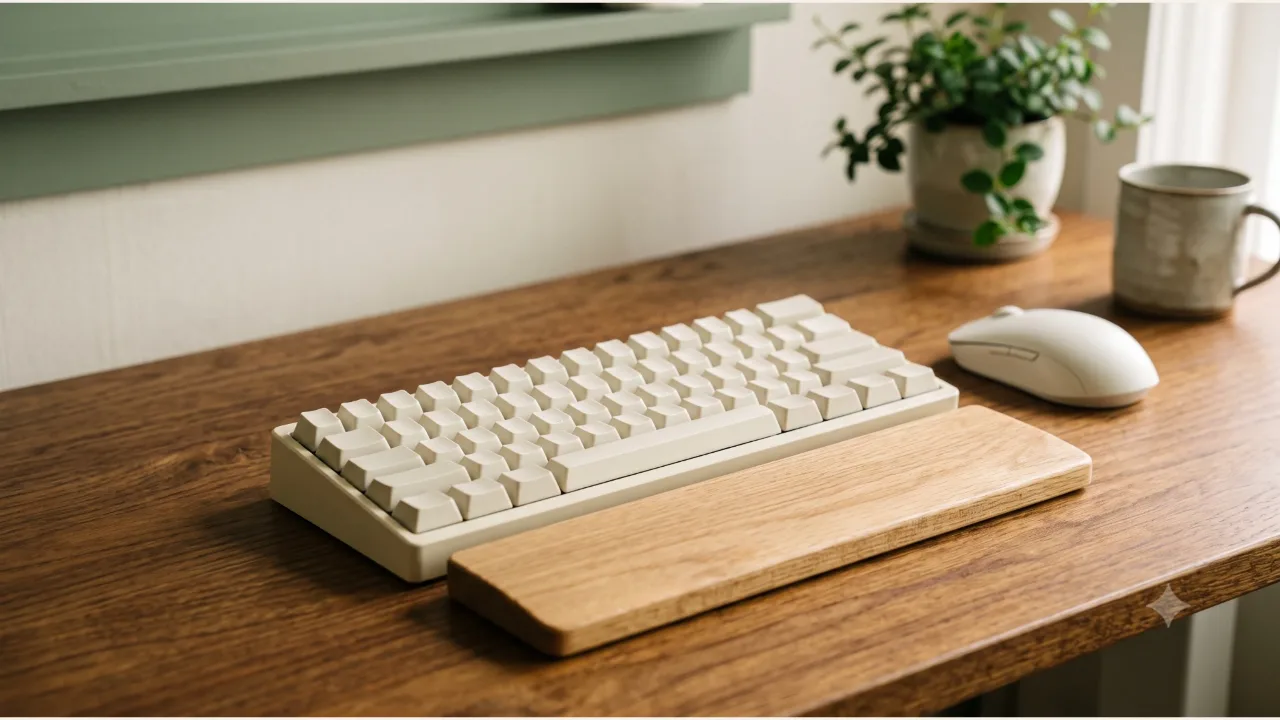
Those are the conditions the Ministry of Employment and Labor's VDT work management guideline sets for keyboards.
The guideline is written for people who work at video display terminals in a workplace, so it isn't a legal standard that applies directly to a desk at home. Read it as a reference when you shop. Screen-side standards are in the monitor height and distance article, and desk height is in the desk height and footrest article. This article focuses on the keyboard's own thickness and where a wrist rest can go.
What does the guideline set for keyboards and wrist rests?
Article 5(2), item 4 sets keyboard tilt at 5 to 15 degrees and thickness at 3 cm or less. Item 7 requires at least 15 cm between the edge of the work surface and the keyboard to support the worker's wrists, and says a suitable support (pad) that eases wrist strain should be usable.
| Item | Standard | Basis |
|---|---|---|
| Keyboard tilt | 5 to 15 degrees | VDT guideline Article 5(2), item 4 |
| Keyboard thickness | 3 cm or less | VDT guideline Article 5(2), item 4 |
| Work surface edge to keyboard | At least 15 cm | VDT guideline Article 5(2), item 7 |
| Support (pad) | Must be usable | VDT guideline Article 5(2), item 7 |
This is based on Ministry of Employment and Labor Notice No. 2020-17, checked on 2026-10-11. I didn't find a provision that sets the height or material of the support itself.
The Policy Briefing's VDT syndrome advice is not very different. It says to adjust your chair height so your wrists aren't bent when you use the keyboard and mouse, and it also mentions using a mouse pad that supports the wrist. The material I checked for this article gives no numbers for keyboard height or angle.
How do the Logitech K120 and MK235 differ in thickness and tilt adjustment?
From the keyboards that sell in large numbers on Coupang, I picked two models whose thickness I could check on the manufacturer's official page. The table sets the values from the Logitech Korea spec pages side by side under the same headings.
| Item | K120 | MK235 (keyboard) |
|---|---|---|
| Connection | Wired, 150 cm cable | Wireless, nano USB receiver |
| Listed height | 155 mm | 137.5 mm |
| Listed width | 450 mm | 435.5 mm |
| Listed depth | 23.5 mm | 20.5 mm |
| Keyboard feet | Height-adjustable (product description) | Tilt-adjustable (product description, also listed in the specs) |
| Number pad | Yes | Yes |
| What's in the box | Keyboard | Keyboard and mouse |
This is based on the Logitech Korea product pages, checked on 2026-10-11. I left out the mouse and receiver specs because they're outside the scope of this article. The K120 page lists a weight of 50 g, which is unusual for a keyboard of that size, so I left it out of the comparison. Neither page says how many degrees you can raise the tilt.
Are the listed height and depth the same as keyboard thickness?
The Logitech Korea pages list the K120 at 155 mm in height and 23.5 mm in depth, and the MK235 keyboard at 137.5 mm in height and 20.5 mm in depth. These labels don't match the usual terms. On a keyboard that is about 15 cm from front to back, the smallest figures, 23.5 mm and 20.5 mm, look like the thickness above the desk, but the pages never explain that "depth" means thickness.
If those values are the thickness, both models fall within the guideline's 3 cm limit. However, the pages don't let you confirm whether the figure is with the feet folded or measured to the top of the keys. The height at the back changes when you extend the feet, so check against the model name on the sales page before you order.
Where and how do you put a wrist rest?
First, measure whether at least 15 cm is clear between the front edge of the keyboard and the edge of the desk. On a small desk, a notebook or a coaster can easily take up that space.
Then put the rest in place and check it while seated. With the rest placed right in front of the keyboard, look for wrists bending upward or your wrists getting propped up on top of the rest. The guideline gives no number for the rest's height, so compare it with the keyboard's thickness and adjust by eye until the backs of your hands and your forearms line up at a similar height.
- Check whether a thin keyboard goes with a low rest and a thicker keyboard with a slightly taller one.
- If you've extended the keyboard feet, compare the rest's height again with them extended.
- Make sure the 15 cm of front space is still there once the rest is in place.
Who is each model right for, and who is it wrong for?
The K120 suits you if:
- You want a simple keyboard connected by a cable on your desk.
- You need a full-size keyboard with a number pad but already have a mouse.
The MK235 suits you if:
- You want one receiver to connect both a keyboard and a mouse.
- You want a keyboard that is slightly smaller in thickness and front-to-back length.
Neither model suits everyone. If you're looking for a compact keyboard without a number pad, or a split keyboard that holds your wrists upright, it falls outside this comparison. This article only checks the two models' dimensions and contents against the guideline; it doesn't cover how they feel to type on or how comfortable they are for your wrists.
What should you check before you order?
- That the model name on the sales page is the same as K120 or MK235
- That the keyboard is 3 cm thick or less, and whether that figure is measured with the feet folded
- That you can keep at least 15 cm clear between the desk edge and the keyboard
- That when you add a rest, the keyboard's thickness and the height of the backs of your hands line up at a similar height
- If you choose the wireless set, that you have a USB port for the receiver
The sources were checked on October 11, 2026.
Product information
Candidates compared
-
Logitech K120 USB Wired Keyboard
-
Logitech MK235 Wireless Keyboard and Mouse Set
Product information is as of the date checked.
Frequently Asked Questions
Do I have to have a wrist rest?
The guideline requires at least 15 cm between the edge of the work surface and the keyboard, and says you should be able to use a suitable support (pad) that eases the strain on your wrists. It doesn't tell you to buy one; the condition is to have the space and the option.
How many cm tall should a wrist rest be?
The guideline and Policy Briefing article I checked give no number for the height of the rest itself. Compare it with your keyboard's thickness and check that your wrists don't bend while you sit.
Won't flipping out the keyboard feet push it past the thickness limit?
Neither manufacturer page says whether its spec figures are measured with the feet folded or extended. Extending the feet raises the back edge, which increases the tilt and adds height, so ask the manufacturer how it measured before you order, or measure the height yourself with the feet extended.
Sources & Verification Date
- Work Management Guideline for Workers Handling Video Display Terminals (VDT) (Ministry of Employment and Labor Notice No. 2020-17, Korean Law Information Center) · Verified
- Stiff neck, aching wrists... could it be VDT syndrome? (Korea Policy Briefing, 2020-01-03) · Verified
- Logitech K120 USB Standard Computer Keyboard product specifications (Logitech Korea) · Verified
- Logitech MK235 Durable Wireless Keyboard and Mouse Combo product specifications (Logitech Korea) · Verified
All materials have been verified from official announcements and may have changed since verification.