Set Your Monitor Height and Eye Distance Right
This page contains Coupang Partners affiliate links; the operator may earn a commission.
Key Takeaway
Match the top of the screen to eye level, keep your line of sight 10 to 15 degrees below horizontal, and leave at least 40 cm between your eyes and the screen.
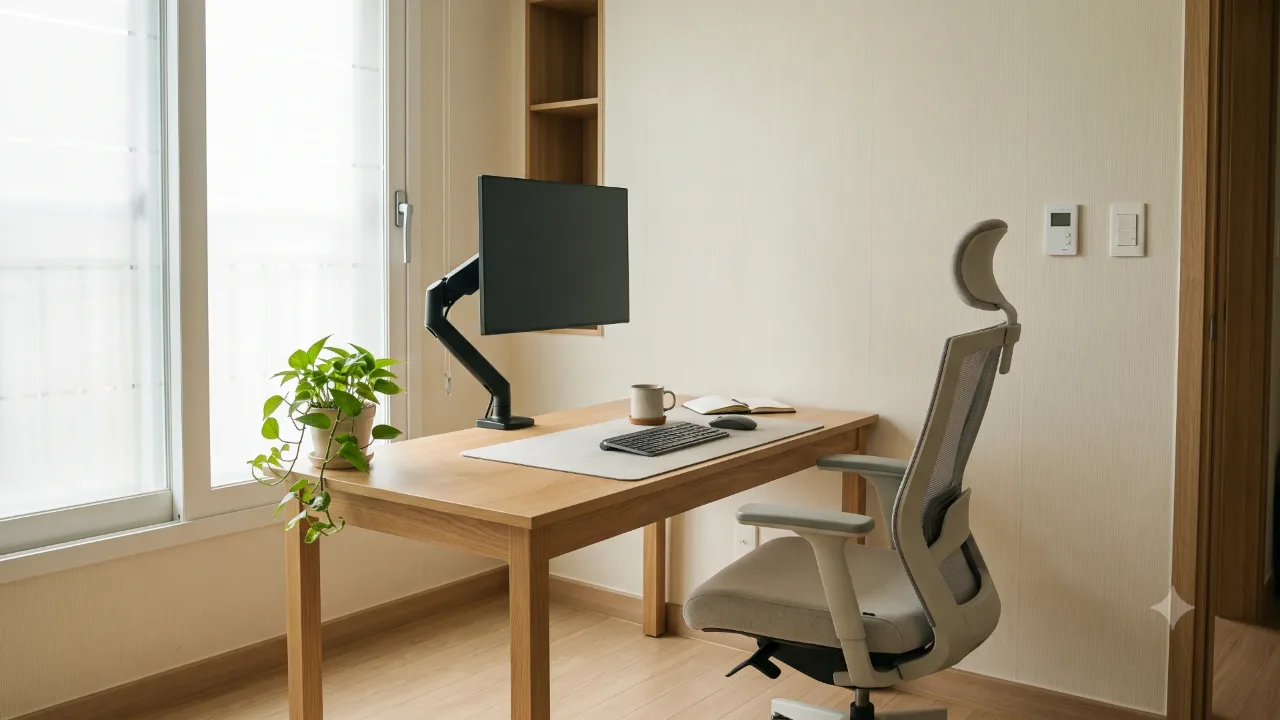
Those are the standards in the Ministry of Employment and Labor's VDT work management guideline.
The VDT guideline applies to employers who have video display terminal work and the workers who do it (Article 3). It creates no legal duty for a monitor at a home desk or study room, so treat the numbers below as reference values for placing your screen.
Where should the screen height be set?
Article 6 of the guideline says your line of sight should be level with the top of the screen, and that the work screen should fall within 10 to 15 degrees below the horizontal. Article 5(1) also requires that the screen can rotate and tilt. When you choose a monitor, check the spec sheet for these adjustments.
What conditions should the screen itself meet?
Article 5(1) also sets requirements for the display itself. Flicker should be imperceptible to the viewer, and image quality should always be sharp. Users should be able to change the brightness contrast (luminance ratio) between characters or shapes and the background easily, and the size, spacing, and shape of characters should be considered so they are easy to read.
For a monochrome screen that shows only one color, it says to use bright yellow, green, or white characters on a dark background and to avoid red or blue characters where possible. On a monitor spec sheet, the brightness and contrast adjustment items connect to this condition.
How far should your eyes be from the screen?
The guideline says to keep at least 40 cm from your eyes to the screen, which is the viewing distance. The Korea Policy Briefing's VDT syndrome article says a distance of 40 to 50 cm from the screen is suitable. Put together, you can keep to at least 40 cm and try adjusting to somewhere around 40 to 50 cm.
What posture is the standard for your keyboard and arms?
Article 6 says to let your upper arms hang naturally so your shoulders don't rise, keep the inside angle at your elbows at 90 degrees or more, and keep your forearms and the backs of your hands level when you use the keyboard. Under Article 5(2), the keyboard should have a tilt of 5 to 15 degrees and a thickness of 3 cm or less. When you type from documents, it says to put the document holder at the same height and distance as the screen.
| Item | Standard | Basis |
|---|---|---|
| Height of top of screen | Level with eyes | VDT notice Article 6 |
| Line-of-sight angle | 10 to 15 degrees below horizontal | VDT notice Article 6 |
| Distance from eyes to screen | At least 40 cm | VDT notice Article 6 |
| Distance from eyes to screen (advice) | 40 to 50 cm is suitable | Policy Briefing |
| Elbow angle | 90 degrees or more | VDT notice Article 6 |
| Keyboard tilt | 5 to 15 degrees | VDT notice Article 5 |
| Keyboard thickness | 3 cm or less | VDT notice Article 5 |
What should you look at when choosing a monitor stand or arm?
Check the spec sheet to see whether it has an adjustment range that lets you meet the standards above. Look first at whether you can raise and lower the top of the screen to eye level and whether you can adjust the screen's tilt. The guideline gives no dimensional figures for stands or arms, so this article doesn't list any either.
You'll also need to readjust positions after setup. Article 11 says to check and adjust the screen, keyboard, chair, work surface, and lighting before you start work or during breaks. If you've changed your chair height, first check that the top of the screen is still at eye level.
How should you rest when you look at a screen for a long time?
Article 4(2) says to give suitable rest periods during continuous work. The Policy Briefing advises taking about a 15-minute break after an hour or more of use.
Resting isn't the only standard. Article 4(1) says to mix in other tasks or rotate duties during screen work so screen work doesn't run on for long stretches. The Policy Briefing explains that when you stare at a screen for a long time you blink less and your eyes tire easily, and it recommends blinking often while you look. The same article also advises keeping smartphone screen brightness at 75% or lower.
Finally, check your own setup.
- The top of the screen is level with your eyes.
- Your line of sight is within 10 to 15 degrees below horizontal.
- There are at least 40 cm between your eyes and the screen.
- Your elbow angle is 90 degrees or more, and your forearms and the backs of your hands are level.
- Your keyboard tilt and thickness are within the standard.
- You can change the screen brightness, contrast, and text size to read comfortably.
- When you look at the screen for an hour or more, you take about a 15-minute break.
Product information
Candidates compared
-
Camel Mount Pole-Type Single Monitor Arm FMAS2
-
Camel Mount Design Slim Single Monitor Arm GDA2
Check price and stock at the link. Product information is as of the date checked.
Frequently Asked Questions
Should the monitor be below or above eye level?
The guideline says to match the top of the screen to eye level and to keep the screen within the range where your line of sight points 10 to 15 degrees below the horizontal.
How often should I take a break?
The guideline only says to give suitable rest periods during continuous work and doesn't set a specific interval. The Policy Briefing advises taking about a 15-minute break when you've been at it for an hour or more.
Sources & Verification Date
- Work Management Guideline for Workers Handling Video Display Terminals (VDT) (Ministry of Employment and Labor Notice No. 2020-17, Korean Law Information Center) · Verified
- Stiff neck, aching wrists... could it be VDT syndrome? (Korea Policy Briefing) · Verified
All materials have been verified from official announcements and may have changed since verification.