Compare column and folding laptop stands before you pick one
Key Takeaway
First check whether a laptop stand can lift the top of the screen to eye level. A column stand suits a fixed desk; a flat-folding Z-shaped stand suits carrying or putting away.
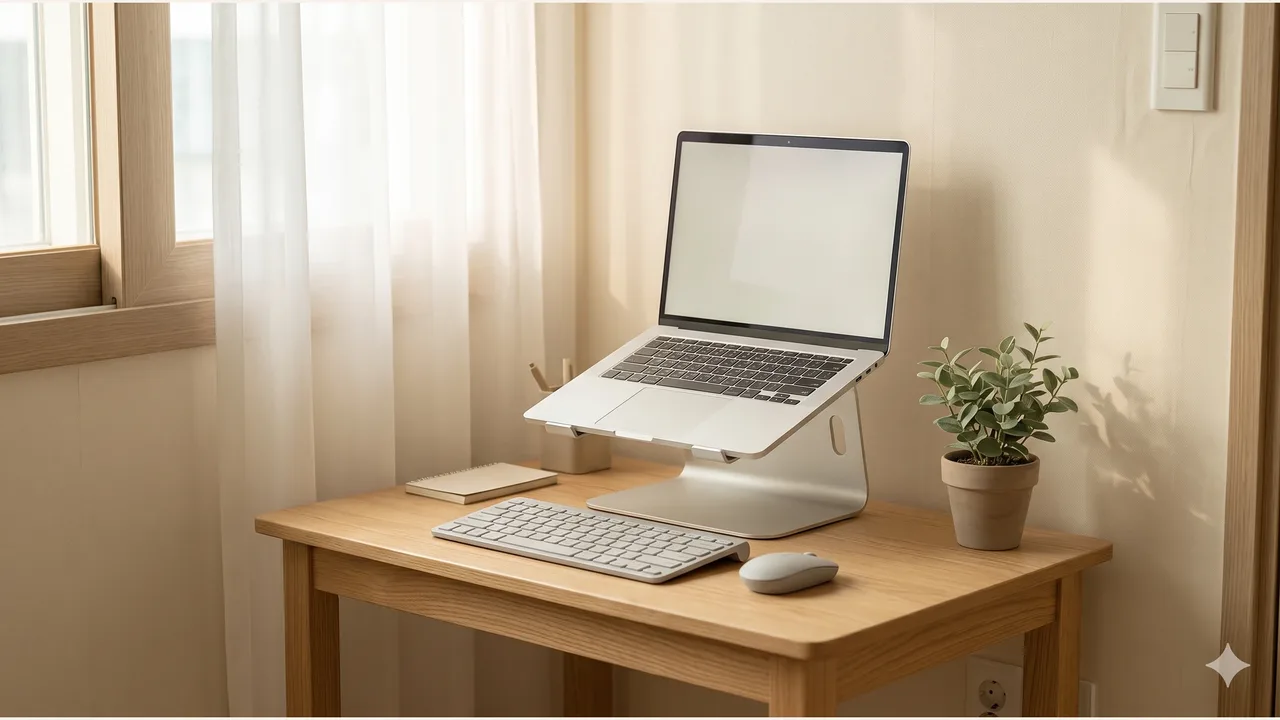
Article 6 of the Ministry of Employment and Labor's VDT work management guideline says to line up the top of the screen with your eye level, keep your gaze 10 to 15 degrees below horizontal, and keep at least 40cm between your eyes and the screen. With a laptop placed straight on the desk, the top of the screen usually sits below eye level, so you end up bending your neck. We looked at Coupang's laptop stand results sorted by Coupang ranking and picked two models whose dimensions can be checked on the makers' official stores. If you use a separate monitor, read how to set monitor height and distance first, and if your chair and desk heights don't match, start with the desk height and footrest guide.
How do I decide how high the stand should go?
Set your chair height first, then sit up straight and measure from the desk surface to your eyes with a tape measure. With the laptop open, also measure from the keyboard deck to the top of the screen. Your eye height minus the screen height is roughly how far the stand needs to lift the bottom of the laptop. Stand plates tilt lower at the front and higher at the back, so pick a model whose listed maximum height leaves a little room above that number.
When the laptop goes up, its keyboard goes up with it. Item 2 of the same Article 6 says to keep the inner elbow angle at 90 degrees or more and type with your forearms level with the backs of your hands, and typing on a raised laptop keyboard won't give you that posture. So when you plan for a stand, also plan for a separate mouse and a keyboard that fits your desk width.
How are column and folding stands built differently?
| Item | Ekeepment Hi-Riser (EKMT-LS1) | Anyclear AP-8 |
|---|---|---|
| Build | One column on a base plate, height locked with a rear dial | Folding stand with two joints that fold into a Z |
| Height | Column height 140 to 220mm | Drawing height 158mm, joint angle 0 to 180 degrees |
| Top plate size | 275×210mm | 270×225mm (22mm front lip) |
| Footprint | Base plate 220×195mm | Base length 200mm |
| When folded | Assembled from separate parts (does not fold) | 35mm thick, 262mm long |
| Assembly and adjustment | Top and base plates attach to the column with the included L-shaped hex wrench and screws | Comes assembled, wrench and screws for leveling included |
| Other | Ventilation slits in the top plate, black, silver, space grey | 4mm-thick top and base plates, silicone non-slip pads, silver, titanium |
Sources: Ekeepment official store EKMT-LS1 detail images (product size and assembly guide) and Anyclear official store AP-8 detail images (detailed size and components), checked October 19, 2026. Drawing dimensions are as the makers list them, and the makers note they can vary slightly depending on how they are measured. Check price and stock at the link as of the check date.
On the Ekeepment Hi-Riser, you loosen the dial on the back of the column and tighten it again at the height you want, so it is easy to use the same height every day. You change the angle by holding the base plate and moving the top plate. The base plate is 220×195mm, so measure ahead for that much desk space being taken up all the time.
On the Anyclear AP-8, changing the angles of the two joints changes the height and tilt together. Folded, it flattens to 35mm thick, so it slips easily into a drawer or bag. On the other hand, the height isn't set by a numbered scale, so each time you unfold it you have to line up the top of the screen by eye again.
Which one suits my desk?
If you usually leave the laptop on the desk and work with an external keyboard, the column type fits. Because the dial locks the height, you start from the same height every day. On a narrow studio desk, though, measure the base plate size and the space for your keyboard together.
If your desk doubles as a dining table, or you carry your laptop to cafes and the office, the folding type is easier. Fold it away when you're done and the desk is clear, and it also fits in a bag. Once you find the joint angle that puts the top of the screen at eye level, take a photo of that shape so it's easier to set up next time.
Whichever you choose, compare the size of the laptop's underside with the stand's top plate. Both top plates are 270 to 275mm wide, so a larger laptop will hang over the sides. Before ordering, check your laptop's width and depth in the maker's specs and write them next to the stand's top plate dimensions.
Product information
Candidates compared
-
Ekeepment Height-Adjustable Laptop Stand Hi-Riser (MacBook stand)
-
Anyclear Premium Aluminum Laptop Stand AP-8
Product information is as of the date checked.
Frequently Asked Questions
Do I still need a separate keyboard if I use a laptop stand
Raising the screen to eye level raises the laptop keyboard too, which tends to lift your elbows and shoulders. The VDT guideline says to type with your forearms level with the backs of your hands, so if the stand stays on your desk for long sessions, set up a separate wireless keyboard and mouse.
How far should the screen be from my eyes
Article 6 of the Ministry of Employment and Labor's VDT work guideline sets the eye-to-screen distance at 40cm or more. Pushing the stand toward the back of the desk and keeping the keyboard in front makes this distance easier to hold.
Is it fine to fold and unfold a folding stand every day
The Anyclear AP-8 has two joints that move from 0 to 180 degrees, so you don't need tools to fold or unfold it. The included wrench and screws are described as being for leveling, so if the top plate tilts to one side, level it first by following the manual.
Sources & Verification Date
- VDT Workers' Work Management Guideline, Article 6 (Ministry of Employment and Labor Notice No. 2020-17, National Law Information Center) · Verified
- Ekeepment official store: Hi-Riser Laptop Stand (EKMT-LS1) specifications · Verified
- Anyclear official store: Laptop Stand AP-8 detailed dimensions · Verified