Set the Right Lighting Brightness for Screen Time in a Small Room
This page contains Coupang Partners affiliate links; the operator may earn a commission.
Key Takeaway
The Ministry of Employment and Labor's VDT guideline sets surrounding illuminance at 300 to 500 lux for a dark-toned screen background and 500 to 700 lux for a white-toned one.
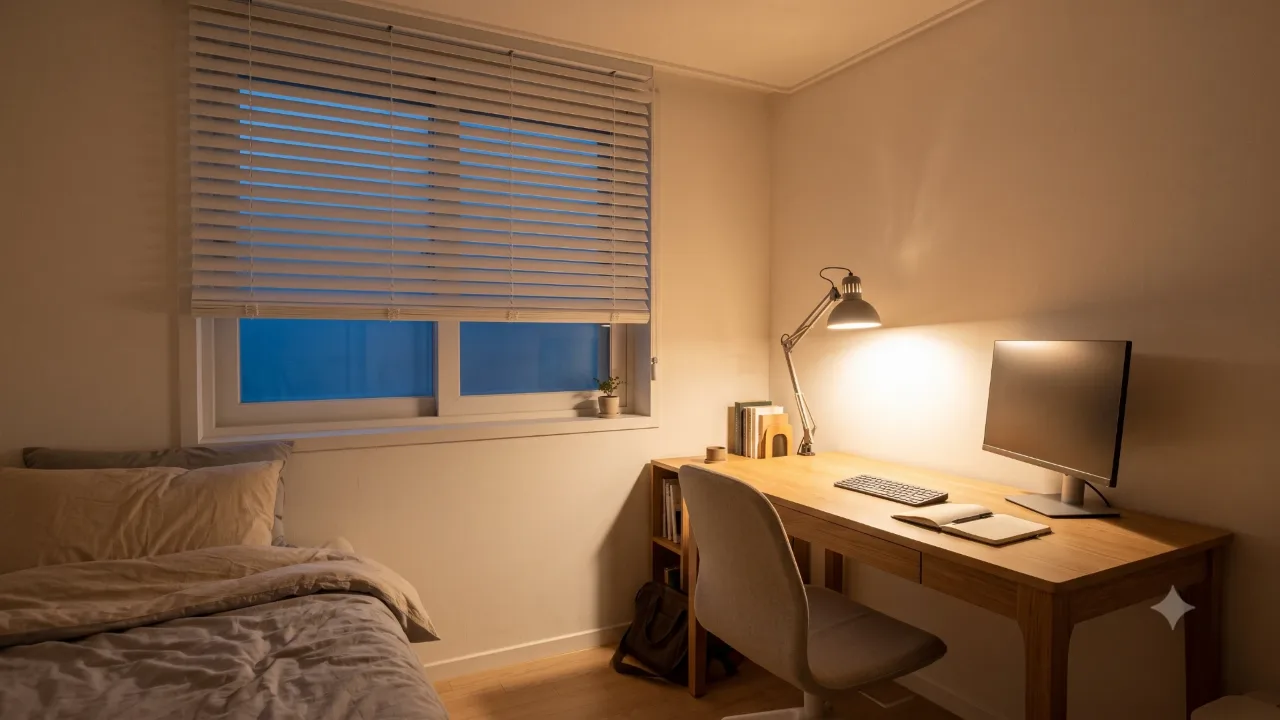
In a small room, also check where you put the light so that it doesn't reflect on the screen.
The illuminance and glare figures were set for workplace work areas, so they aren't legally required in a room at home. Use them as a yardstick for judging brightness when you choose desk lighting for a small room.
Why does the standard illuminance depend on the screen's background color?
Article 7(2) of the guideline sets the illuminance around the work area according to the screen's background color. For a dark-toned background, aim for 300 to 500 lux, and for a white-toned one, 500 to 700 lux.
| Screen background | Surrounding illuminance standard |
|---|---|
| Dark-toned | 300 to 500 lux |
| White-toned | 500 to 700 lux |
Where should you put the light to reduce glare?
Applying the guideline's glare prevention standard (Article 8) and lighting standard (Article 7) to a desk in a small room gives the following.
- Limit the lighting and daylight so that the angle at which light reaches the work surface is within 45 degrees of the screen.
- Keep excessively bright lights and flickering sources out of your field of view.
- If you add dedicated lighting, have it reach the screen, documents, and keyboard evenly from one or both sides.
How do you reduce the brightness gap between the screen and the room?
Article 7(3) says that the longer you look at a screen, the more you should reduce the difference between screen brightness and the brightness around the work surface, and keep the brightness of the screen, keyboard, and documents in your field of view as equal as possible. Article 7(1) says the lighting should not create too sharp a contrast with the screen. Under Article 7(4), install a shade net or curtain on the window to keep sunlight from falling on the screen and documents, and adjust the brightness as needed.
What should you check around the walls and windows?
The standard isn't only about light fixtures. Article 7(1) says the windows and walls of the work area should be made of materials that don't reflect light. If there are things behind or beside your desk that bounce light back, such as glossy furniture surfaces or glass picture frames, look to see whether they show up on the screen.
Article 8(2) says that to prevent glare you should attach something like a glare filter to the screen so light reflection doesn't increase.
What should you do when you can't prevent reflections?
Article 8(3) sets out the following methods you can use when conditions mean light reflection can't be prevented.
- Adjust the tilt of the screen.
- Use low-luminance light fixtures.
- Lower the luminance ratio between the text on the screen and the background.
- Install a hood on the screen, or a simple shade on the light fixture.
There are also adjustments you can make on the screen side. Article 5(1) takes as its standard a screen on which the user can easily adjust the luminance ratio between characters or shapes and the background. Article 11 says to also check and adjust the light fixtures before starting work or during breaks.
Where do you find illuminance standards by facility?
The Korea National Standards Certification Integrated Information System lists a standard named KS A 3011, "Recommended levels of illumination". It was established on 1977-11-14, its last revision confirmation date is 2023-12-14, and its scope is described as specifying illuminance levels of artificial lighting for each type of facility. The system publishes only the standard name, scope, and revision dates, so this article doesn't copy the standard's detailed illuminance figures. If you need the detailed figures, check the facilities and values in the text of the standard.
What should you check before you change your desk lighting?
- Decide whether your screen background is dark-toned or white-toned, and check whether the brightness around your desk is within that standard range.
- Check that the angle at which light reaches the work surface is within 45 degrees of the screen, and that no excessively bright source is in your field of view.
- If your desk is by a window, use a shade net or curtain so sunlight doesn't fall on the screen.
- If reflections remain, change the screen tilt or consider low-luminance light fixtures.
- Check the condition and position of the light fixtures once before you start work.
Product information
Candidates compared
-
BenQ ScreenBar Halo 2
-
Xiaomi Computer Monitor Light Bar
Check price and stock at the link. Product information is as of the date checked.
Frequently Asked Questions
If I mostly use a dark screen, can I make the room darker?
The guideline says to keep the surrounding illuminance at 300 to 500 lux when the screen background is dark-toned, and also to reduce the difference in brightness between the screen and the area around the work surface.
What should I do if my desk is by a window?
The guideline says to install a shade net or curtain on the window to keep sunlight from falling on the screen and documents, and to be able to adjust the brightness when needed.
Sources & Verification Date
- Work Management Guideline for Workers Handling Video Display Terminals (VDT) (Ministry of Employment and Labor Notice No. 2020-17, Korean Law Information Center) · Verified
- KS A 3011 Recommended levels of illumination (Korea National Standards Certification Integrated Information System) · Verified
All materials have been verified from official announcements and may have changed since verification.